← Blog
AI Chatbot or AI Agent? What the Difference Means for Your Business
Summary
- A chatbot returns an answer for a person to act on; an agent uses tools to take actions in your systems.
- Chatbots fit question-answering and are the safer first project; agents fit repetitive, rule-based workflows.
- When AI can act, limits matter: minimal permissions, approvals for irreversible steps, audit logs and escalation.
- Start an agent read-only with human approval, measure acceptance, and remove approvals gradually on low-risk steps.
“Agent” has become the most used word in AI marketing, and it is often stuck on products that are chatbots with a new name. The difference matters, because it changes what a system can do for you, what can go wrong, and what it costs to build properly.
The short version: a chatbot answers, an agent acts. This article explains what that means in practice and how to decide which one your problem needs.
A chatbot answers, an agent acts
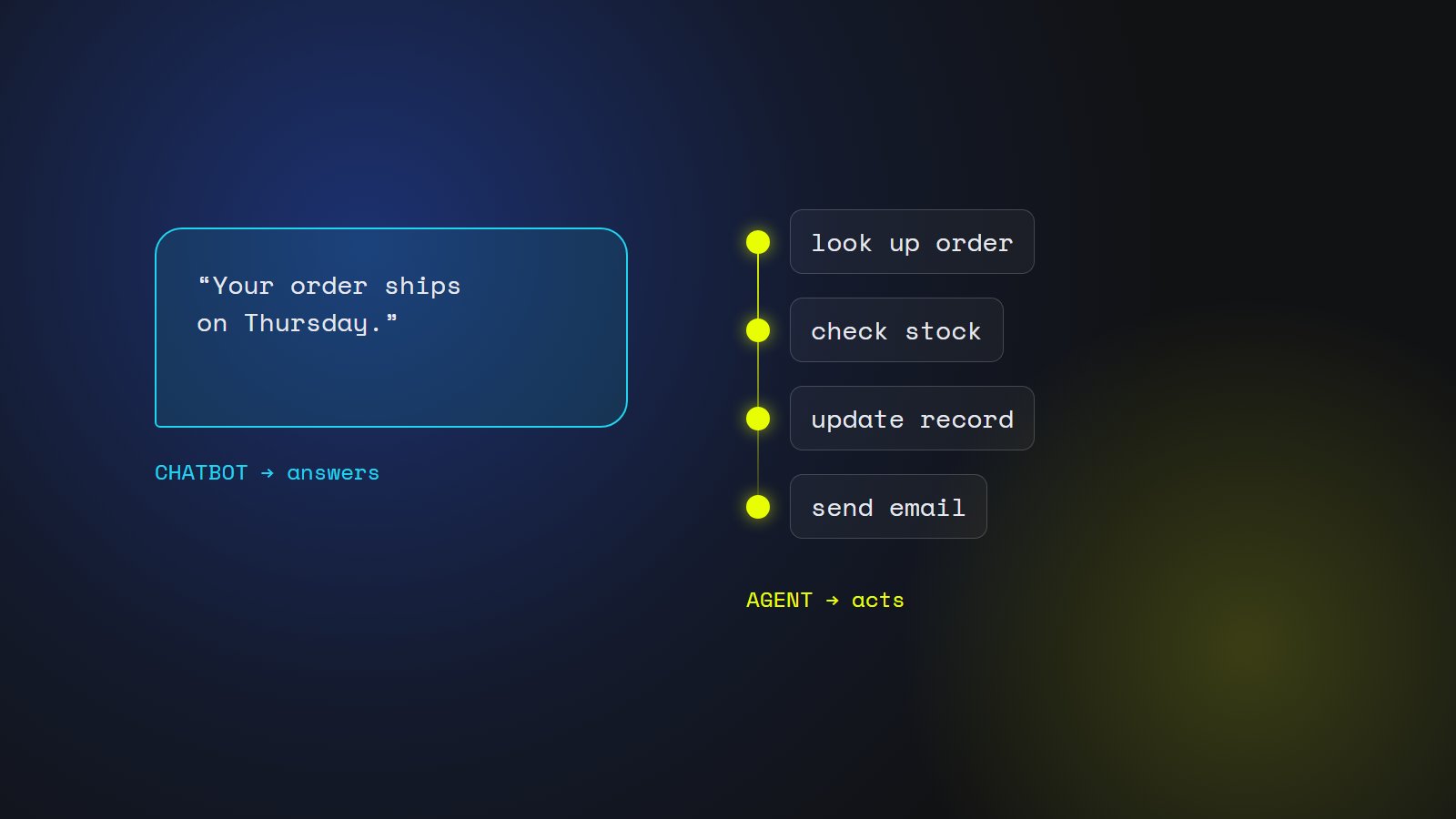
A chatbot takes a question and returns text. A modern one understands free-form language, can answer from your own documents and can hand the conversation to a person — but the result of every exchange is words on a screen. A person reads them and decides what to do.
An agent takes a goal and works towards it by using tools: it looks up an order, checks stock, drafts and sends an email, updates a record, books a slot. It decides which step to take next based on what the previous step returned. The result is a change in one of your systems, not just an answer.
When a chatbot is enough
Most first AI projects should be chatbots. If the goal is to answer questions — from customers about delivery and returns, from staff about policies and procedures, from engineers about technical manuals — a chatbot built on your documents does the job, and a person stays in control of every action.
Chatbots are also the safer place to learn. You find out what your customers really ask, how good your documents are, and how your team reacts to AI, with little that can go wrong beyond a poor answer.
When an agent earns its cost
An agent is worth it when the slow part of a process is not finding an answer but doing the steps: copying data between systems, checking the same five things for every request, chasing missing information, updating several tools after one decision.
Typical good fits are repetitive back-office workflows with clear rules — processing incoming orders or invoices, qualifying and routing leads, preparing a claim file for a person to approve. The work is well defined, the steps are the same each time, and a mistake can be caught before it matters.
The risk changes when AI can act
A chatbot that gets something wrong gives a bad answer. An agent that gets something wrong can send the wrong email, refund the wrong customer or overwrite a record. That is why building an agent is as much about limits as about intelligence.
A well-built agent has only the permissions it needs, asks a person to approve anything irreversible or expensive, logs every action with the reason for it, stops and escalates when it is unsure, and has limits on how many actions it can take. None of this is optional in production.
Cost and effort
Because of those safeguards and the integrations with your systems, agents usually cost more than chatbots. In our own estimates, a customer chatbot with a knowledge base and hand-off to a person is typically 3–6 weeks of work, while an agent that automates a workflow across your systems, with approval steps and an audit log, is typically 4–8 weeks.
The difference is rarely the language model. It is the integrations, the approval flow, the monitoring and the testing needed before you let software act on your behalf.
How to start safely with an agent
Start read-only. Let the agent gather information and prepare the action — the draft email, the filled form, the proposed update — and have a person click to approve. Measure how often the person accepts the proposal unchanged.
When acceptance is consistently high on a narrow workflow, remove the approval for the lowest-risk steps first. Expand one workflow at a time, and keep approvals on anything irreversible.
A quick way to decide
Ask three questions. Is the slow part finding information, or doing things with it? If finding, start with a chatbot. Are the steps the same each time, with clear rules? If not, an agent will struggle. What is the worst thing a wrong action could do? If the answer worries you, keep a person approving that step.
Many good systems end up as both: a chatbot that answers, with a few carefully limited actions it can take when a person confirms.